Step 2: Move the cursor to a "blank" spot on the screen where no icons are located.
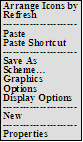
Step 3: Right click one time. (you're other right) The pop-up menu on the right appears. --->>>>>>>
<<<<<------
Step 6: Left click on the tab choice "Settings".
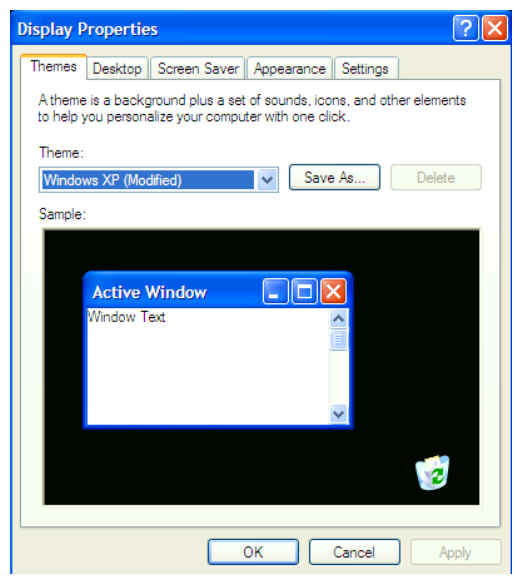
Step 7: The pop-up menu on the right appears. --->>>>>>
Step 8: In the lower left of this pop-up, drag the "Less/More" Screen Resolution button to the resolution of 1024 x 768 or higher.
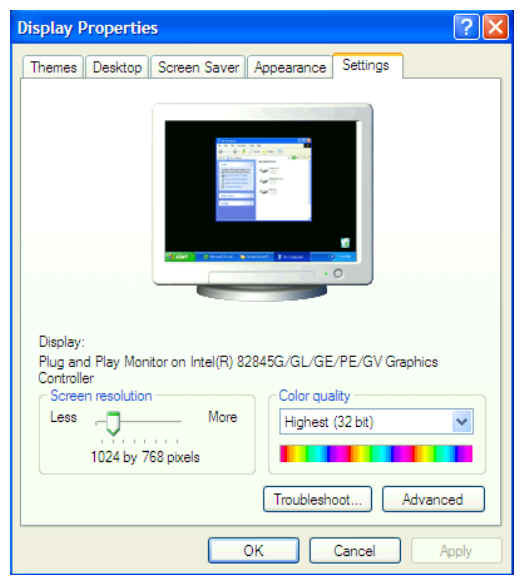
Step 9: Click on the "OK" button at the bottom center of the pop-up.
Your computer's resolution has been changed and now more of web pages will fit on tour screen.